Conclusion
I built a debugger for the Agent workflows to help people configuring the agentic workflows test, debug and identify the failure modes before going live with it. This is also exposed over the MCP and helped the team to reduce error rates while configuring the flows without actual data, covering edge cases before doing a live run in production.
I think we will need more such tooling with the AI tools and features to ensure that we are not going blind into developing and building features, instead we need common debugging, testing and monitoring tools for AI features being built, allowing devs to fix the bugs with this new AI era of agentic systems.
Problem
In the last year, I built AI agents and we also built a runtime to create custom workflows with agentic steps that allowed customers to solve specific use cases based on the data apart from what the platform was already doing.
You can assume this to be something like Zapier or n8n. Since we have all the data already present, we can do a lot more with the same and allow the customers to automate simple tasks in their day and improve their productivity
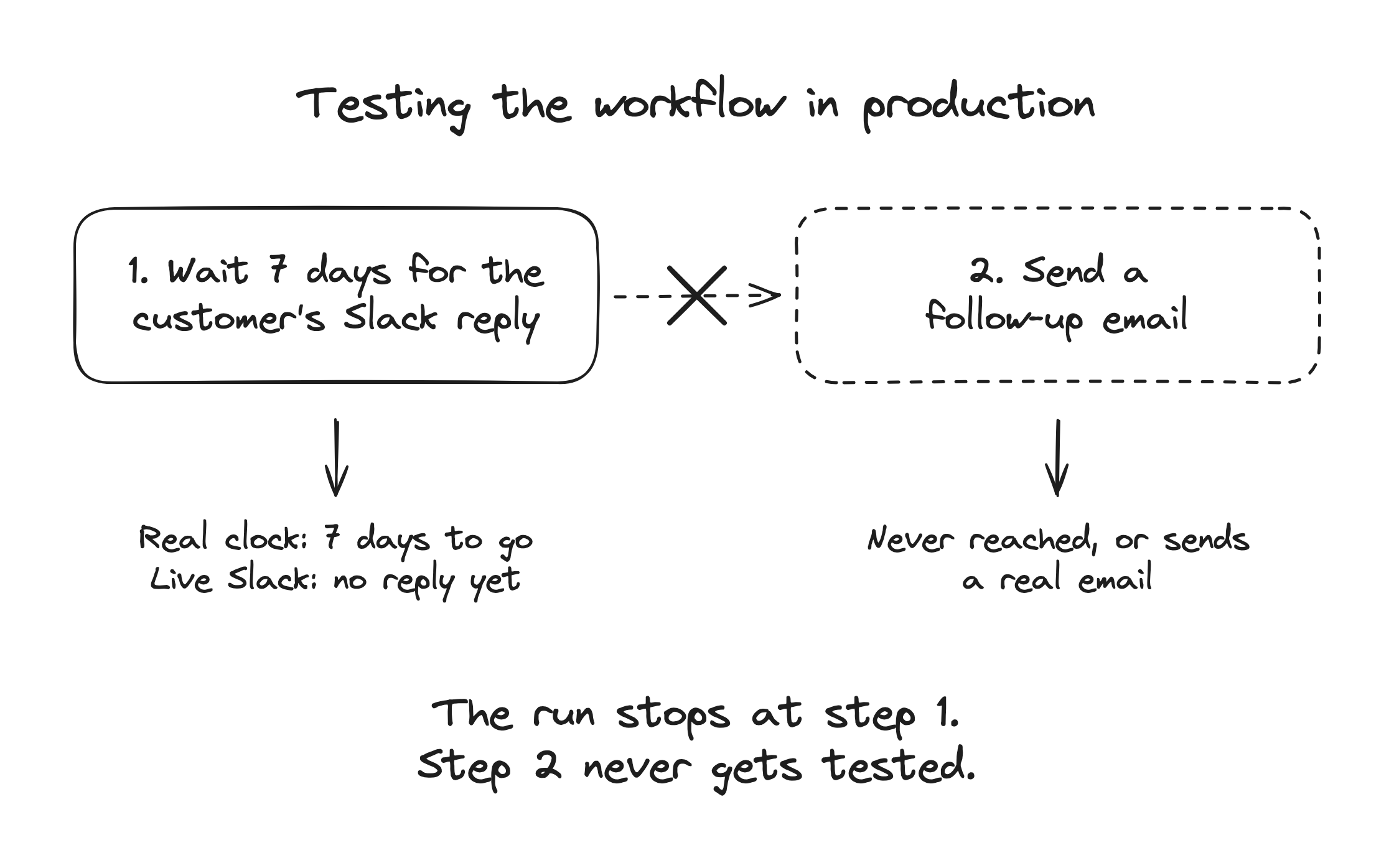
And as we started configuring this, one thing we found was without performing some of the steps which are destructive (sending an email, creating a meeting invite, updating CRM), we cannot really go ahead and check the next steps and this becomes a blocking issue ☹️
Example
A step in the flow decides whether to suggest email to a customer or not and the decision is based on some action that customer took, like replied to a message in slack thread, took some action in the product.
Now if an agent workflow is running top to down, it will never pass that check for a specific trigger on production when a customer wants to test the same. The reason is because the end user has not taken that action yet. And the workflow run will keep failing so either you have to skip that condition or check that the customer took some action.
Now if your agent also decides on what the customer said or what the action was, you are going to have some issues trying to test your agent workflow with different inputs eg: the slack thread is fetched live from a slack connection, a hubspot company, fetching an email from user’s input. Mocking data for all these is another problem and you can maybe create a new tenant to test this yourself but what about production where customers want to test or build the new Agentic workflows?
Idea
I started by checking Zapier and n8n to see how they do these things and allow users to test the steps, continue with the flow without actually taking a destructive action. And they do not, like I tried zapier with Hubspot and it needs data from hubspot to be there, it will create a company / object and will perform actions on top of that.
This was not a good approach, I do not want to create a mess with customer data and then going back and forth with them to clear all the mess I created. I feel like this is not a good way to work with enterprise customers, you need to have a way to solve the issues, create custom solutions and not expect that you can break things and just fix it like it’s your own machine.
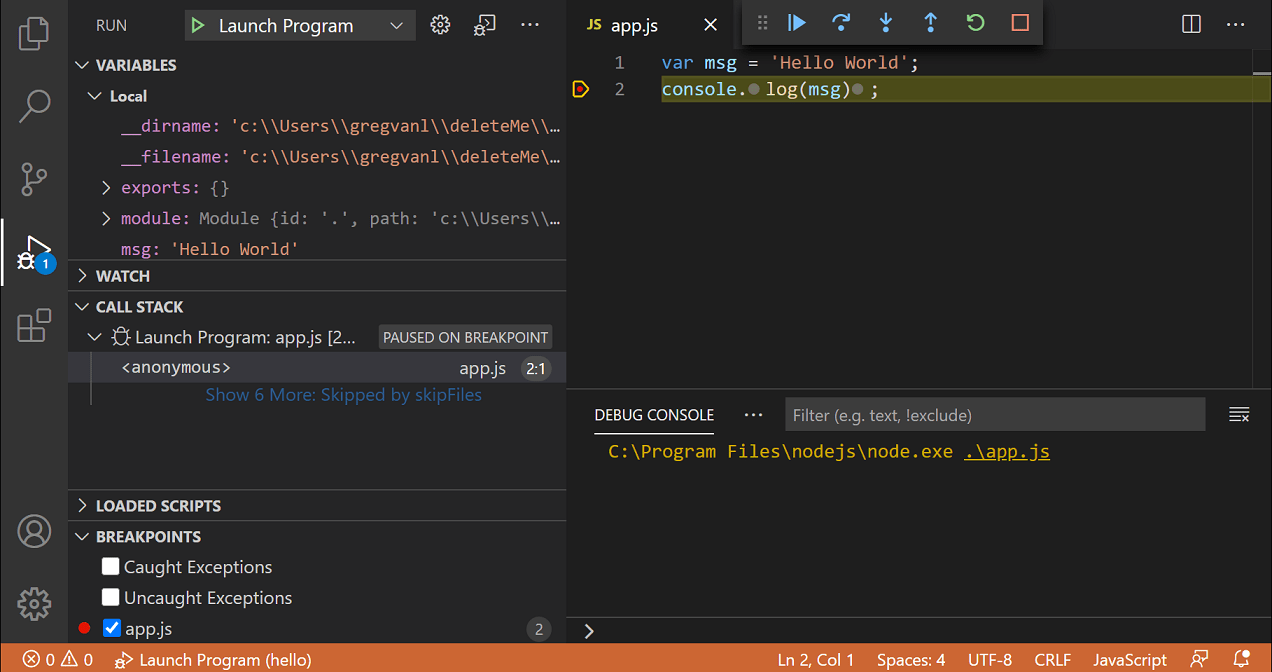
VS Code debugger, via code.visualstudio.com
I remember that as a developer, for solving and checking for bugs we used to add debugger points, check the values of the variables and see what was there and what is happening after an action to understand and be able to replay this in a test, optimize the code etc. And the next question was what if I take the same thing and apply it for the runtime, I allow users to run a step and see its variables. They can change and modify the variables as per what is expected by the next step or break it and the flow can be updated to fix the same.
Solution
Applying the same iterative approach and rules but over a new problem. Instead of going blind and fixing in production, you run the flow step by step and update the data.
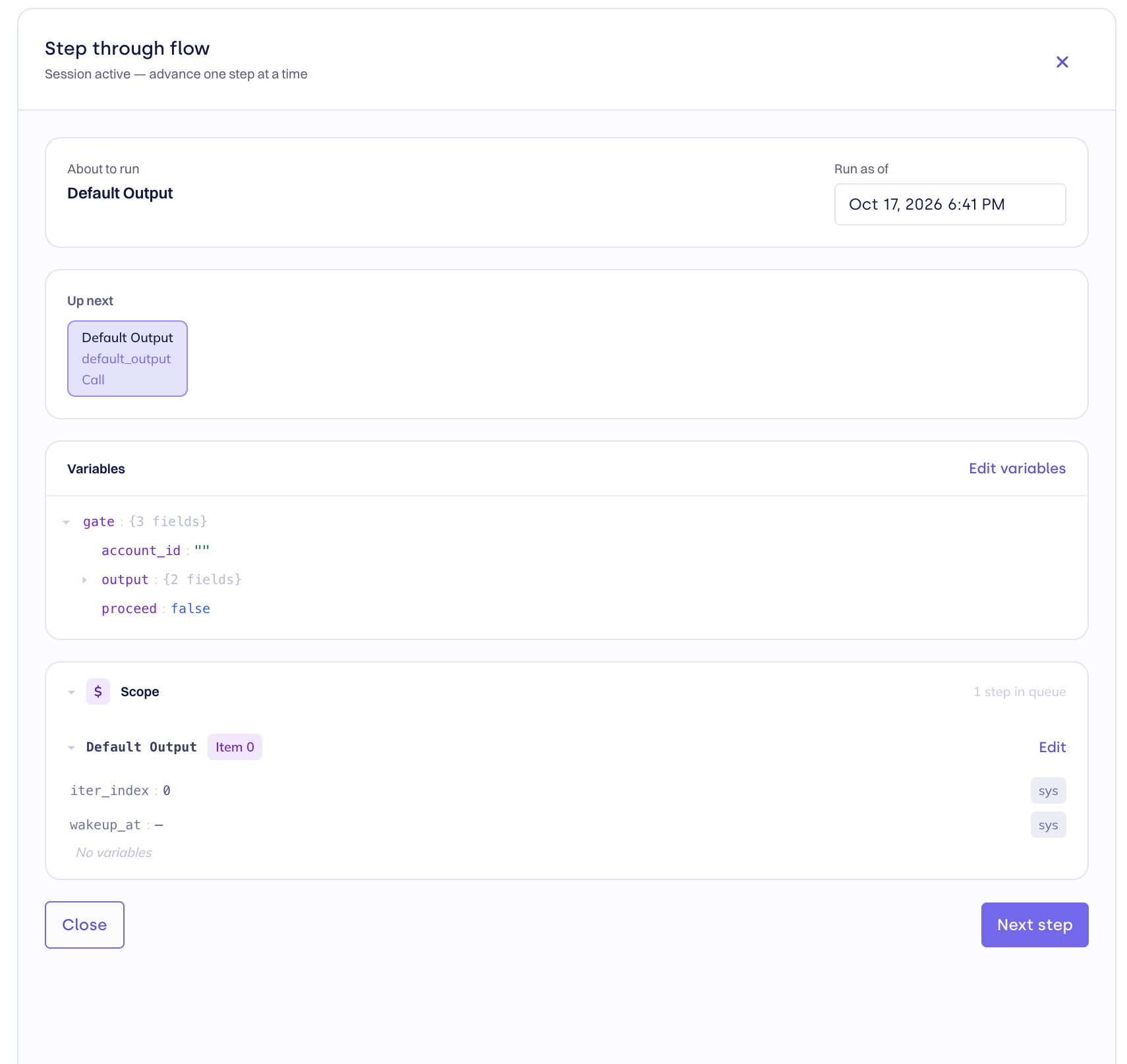
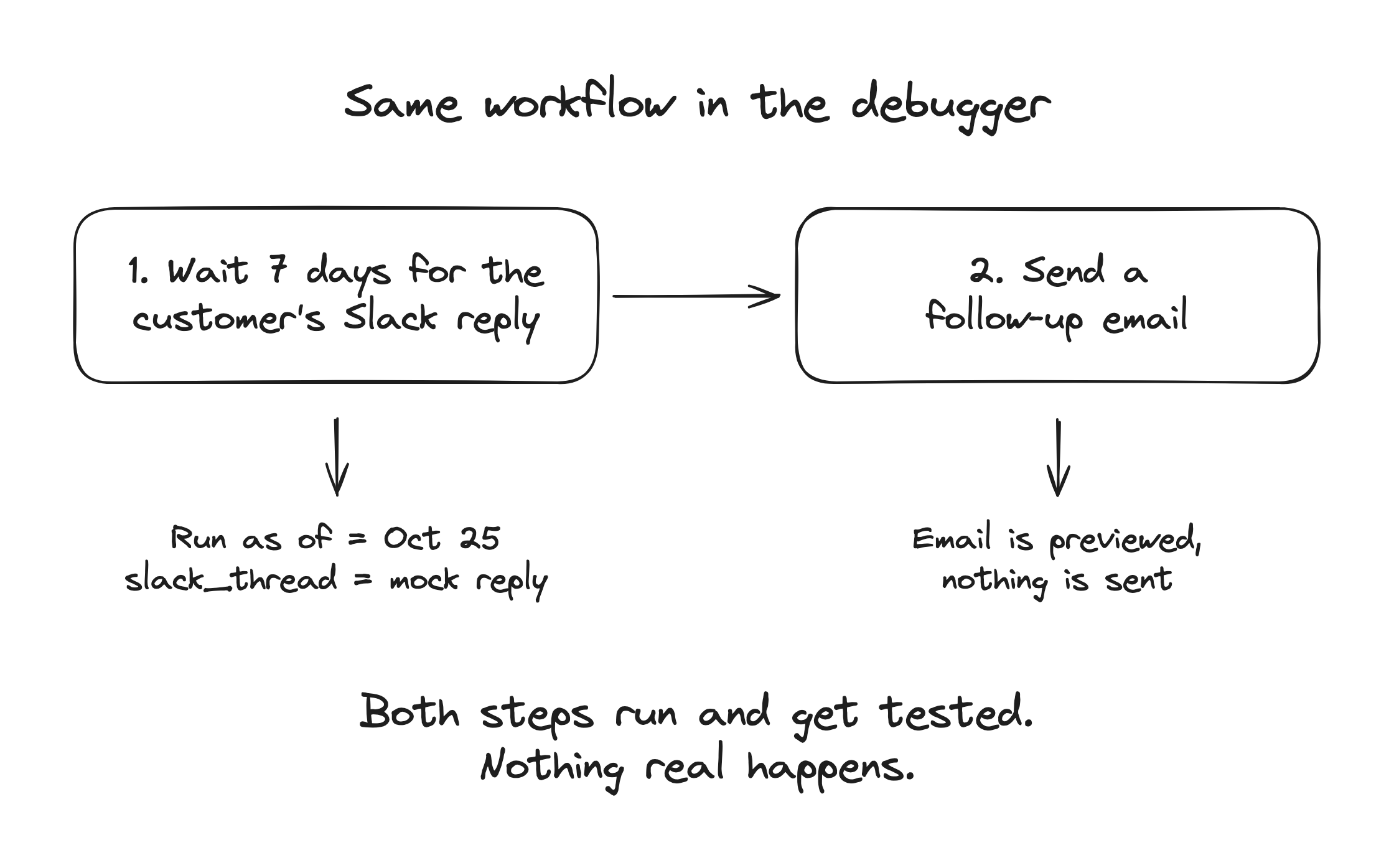
I can now run a workflow and have a step which waits for 7 days for the user’s reply and responds with a customized email / slack message / or simply asks for a meeting. See the image below, I can update the Run as of to Oct 25 and that will cover my 7 days timestamp, the workflow continues as normal. And similarly, I can check the opposite case where the end user replied and asked for a new feature, which will create a task for the CSM of the product.
There are two scopes for variables i.e. local and global. Globally scoped variables are always kept and can be overridden by other steps (apart from some of the restricted variables), local variables are generally part of loops, output of a step etc.
The debugger lets you edit any of the variables, whether it is global or local to a step. It even allows you to delete some variables (testing failure cases), add new variables, modify output of an external call or data from a previous step.
This capability while exposed over MCP in a similar manner with a tool like debug_step(step_id, variables), allows a customer to test the Agent workflow using Claude / Codex and cover all the different scenarios, see how the Agent responds and how tweak the prompts / tools to ensure that the end results is what they are expecting without having to actually run the workflow in production and then debug if something goes wrong 😨
This empowered our customers and internal team configuring the workflows, similar to how you will think a developer was first empowered by using the debugger having to debug something critical which normally you would miss 😀